Apple Core AI vs Core ML: What Changes for Your iPhone App
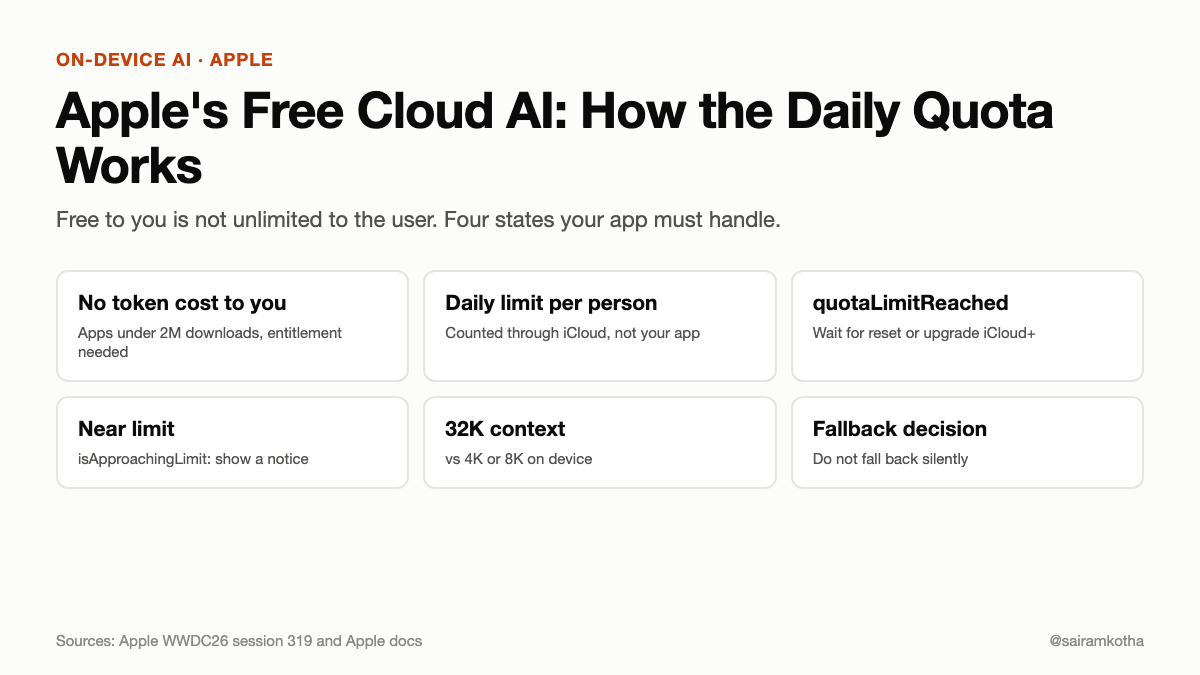
Part 45 of the on-device AI series. Earlier: Part 41, eligibility, rollout and monitoring and Apple's free cloud AI quota.
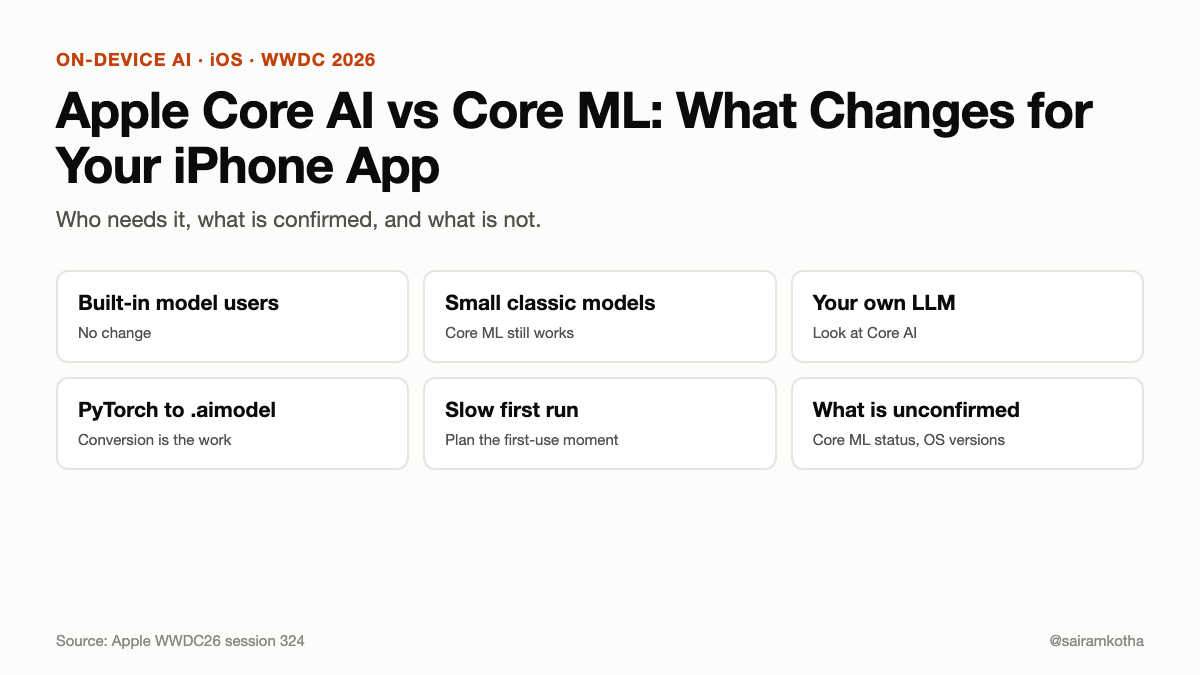
The short version. At WWDC 2026 Apple introduced Core AI, a new framework for running AI models on the device. Apple's session calls it "the next evolution of on-device AI execution" and says it is the inference framework behind on-device Apple Intelligence. InfoQ reports it as the successor to Core ML. Apple's session page does not mention Core ML at all, so the exact deal (deprecation, timeline, migration) is not confirmed by anything I could read. What is clear: if you bring your own model, especially a language model, Core AI is where Apple is building. If you only use the built-in Apple model, you do not need it.
If you are not a developer, the first three sections are for you. The rest is for the people who build the app.
What this is, in plain words
Your iPhone can run AI models on the phone itself. Something has to load the model, hand it the input, run the maths on the phone's chips, and give back the answer. That something is a framework: a toolkit built into the system.
For nine years the toolkit for custom models was Core ML. Core AI is the new one. Think of a kitchen. Core ML was the old stove, built when most recipes were small: recognise a face, sort a photo, predict a number. Core AI is the new range, built for the big recipes, like a chat model that writes sentences one word at a time.
Terms used below:
- Model: the trained AI file. It is what holds the "knowledge".
- Inference: using a model to get an answer, as opposed to training it.
- Framework: a toolkit built into the operating system that apps call.
- Apple Silicon: Apple's own chips, in iPhones, iPads, Macs and Vision Pro.
Do you need to care?
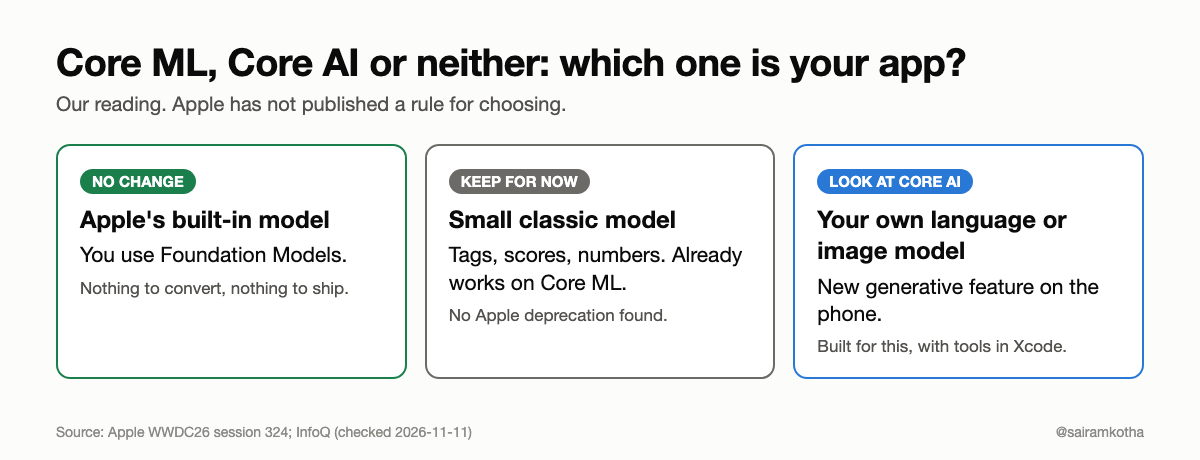
Most apps do not. Ask which of three groups you are in.
- You use Apple's built-in model through the Foundation Models framework. Nothing changes for you today. Core AI is for models you bring.
- You ship your own small classic model. A model that tags photos, scores a form, or reads handwriting. Core ML still works. Nothing I read says it stops.
- You want to ship your own language or image model on the phone. This is the group Core AI is for. Read on.
I did not find an Apple statement that Core ML is deprecated. One third-party guide says "Core ML does not disappear, but every new AI capability now lands in Core AI". That is a reasonable expectation, but it is that guide's reading, not Apple's words.
What Apple actually says Core AI is
From Apple's WWDC26 session "Meet Core AI":
- It is "the inference framework powering on-device Apple Intelligence", and it is now available to developers.
- It runs on the CPU, GPU and Neural Engine of Apple Silicon, on all Apple platforms.
- It covers the full journey: convert a model, optimise it, debug it, and put it in your app.
- There is no server and no per-token cost, because the model runs on the phone.
- The Swift API is memory-safe, and Apple says it gives up no performance for that.
InfoQ adds that Apple describes support from compact vision models of about 3 billion parameters up to reasoning models of up to 70 billion. That size range comes from a news write-up, not from the session page I read, so treat it as reported. A 70-billion-parameter model will not fit on a phone. The upper end is for Macs.
For developers: the moving parts
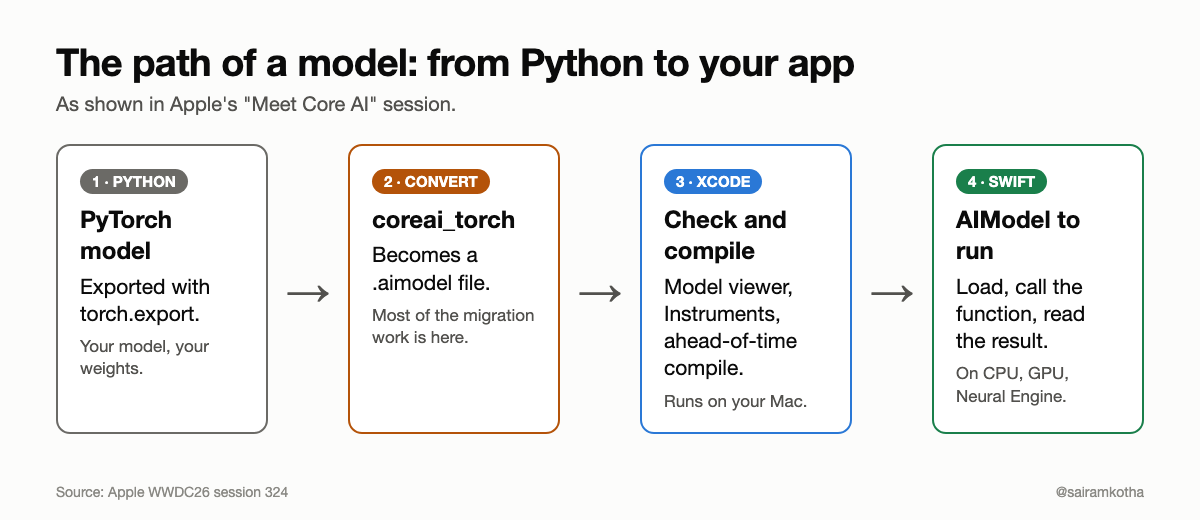
Apple's session shows a two-sided workflow.
Python side: convert the model. You export a PyTorch model with torch.export, then convert it with the coreai_torch package. The session's own example ends with a file called SnakeTransformer.aimodel.
ai_program = coreai_torch.TorchConverter().add_exported_program(
    exported, input_names=["features"], output_names=["logits"],
).to_coreai()

ai_program.save_asset("SnakeTransformer.aimodel")
Swift side: run it. Three types do most of the work. AIModel loads the .aimodel file. InferenceFunction is a runnable piece of the model. NDArray holds the numbers going in and out.
import CoreAI

let model = try await AIModel(contentsOf: modelURL)
let main: InferenceFunction = try model.loadFunction(named: "main")!
var outputs = try await main.run(inputs: ["features": inputNDArray])
These snippets are copied in shape from Apple's session page. I did not compile them against the SDK, so check the current docs before you rely on exact names.
State for chat models. A language model writes one word at a time and needs to remember the earlier words. The session shows a "key/value cache" registered in PyTorch and passed in as mutable state, so the model does not redo all the work for every new word.
Tools in Xcode. The session lists a model viewer (size and operations), Core AI Instruments (how long each run takes, and how that grows with longer inputs), a Core AI Debugger, and a debug gauge.
The catch: the first run is slow
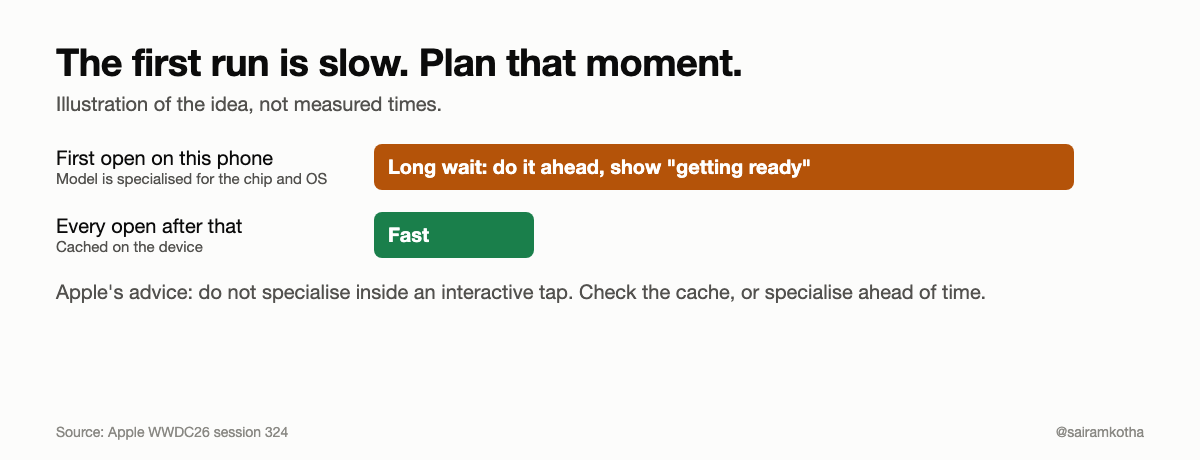
This is the part that surprises people. The first time a model loads on a given device, Core AI must specialise it for that phone's chip and OS version. Apple's session says this can take a long time for large models and advises against doing it inside an interactive flow, such as the moment someone taps a button.
What the session offers:
- Check the cache with
AIModelCache.default. - Specialise ahead of time with
AIModel.specialize(contentsOf:). - Share the cache between apps in an app group.
- Compile on your Mac ahead of time (AOT) to cut the remaining work, though specialisation per device and OS version is still needed.
For a product, this means a "getting ready" state, a background-friendly step, and a plan for the person who opens the feature on day one. Part 41 covers eligibility and rollout; the same thinking applies here.
Stuck on this in your own app? Choosing between Foundation Models, Core ML, Core AI and a cloud model is a product decision as much as a code one. I do 1:1 calls on exactly this. Start with a free 10-minute intro call, or book a 30-minute Unblock Call to get a clear answer for your case.
Core ML, Core AI or MLX Swift?
InfoQ reports Apple now supports three routes: Core ML, Core AI and MLX Swift. Apple has not, in anything I read, published a rule for choosing. The table below is my reading, not Apple's.
| Your situation | Likely best fit | Why |
|---|---|---|
| Use Apple's built-in model | Foundation Models | No model to ship, no conversion |
| Small classic model already working | Keep Core ML | It works; migrating buys little yet |
| New language or image model of your own | Core AI | Built for it, with state handling and tools |
| Research code, Mac-first, quick experiments | MLX Swift | Community reports suggest it is flexible; may be slower |
If you are unsure, prototype one feature both ways and measure memory, first-run time and battery. Parts 30 and 31 cover why those three numbers matter.
What to do this month
- List your models. Mark each as classic (tags, scores, numbers) or generative (text, images).
- Leave the classic ones alone until Apple publishes clear guidance.
- For any new generative idea, read Apple's sessions 324, 325 and 326 before you pick a path.
- Test on real, older devices. Memory is the limit, as in Part 30.
- Design the first-run moment so nobody stares at a frozen button.
Questions people ask
Is Core ML dead?
Not according to anything I could read from Apple. A third-party guide says it keeps working. No deprecation date was in the sources.
Does Core AI replace the Foundation Models framework?
No. Foundation Models gives you Apple's own model. Core AI runs models you bring. Apple's session mentions a Foundation Models integration in its Core AI models repository.
Which iOS version do I need?
The session page lists no minimum versions. Third-party reports tie it to iOS 27. Check Apple's docs.
Can I run any open model?
Apple's session shows a conversion path from PyTorch, and a repository of pre-converted popular models. Whether your model converts cleanly depends on its operations. Expect work in conversion and testing.
Does it cost money per request?
No cloud charge, because it runs on the phone. The cost is battery, heat, memory and app size.
What I could not verify
- Core ML's status. No Apple page I read states deprecation, timeline or migration steps.
- Minimum OS and Xcode versions. Not on the session page.
- The 3B to 70B size range. From InfoQ, not from the page I read.
- Performance numbers. None published in what I read. Treat "faster" as a claim to test.
- Code. Snippets follow Apple's session page and were not compiled.
Sources: Apple WWDC26 session 324 "Meet Core AI"; InfoQ, Apple announces Core AI; ecorpit, iOS 27 Core AI guide (third-party). Checked 2026-11-11.
#iOSDev #CoreAI #CoreML #OnDeviceAI #Swift #WWDC26
Work with me: I take 1:1 calls on mobile architecture, on-device vs cloud AI decisions and startup tech consults. Start with a free 10-minute intro call, or book a Mobile Architecture Review. All options: topmate.io/sairamkotha
Comments
Join the discussionNo comments yet. Be the first to comment.